Capture the current ZCode login state and keep separate snapshots for different accounts.
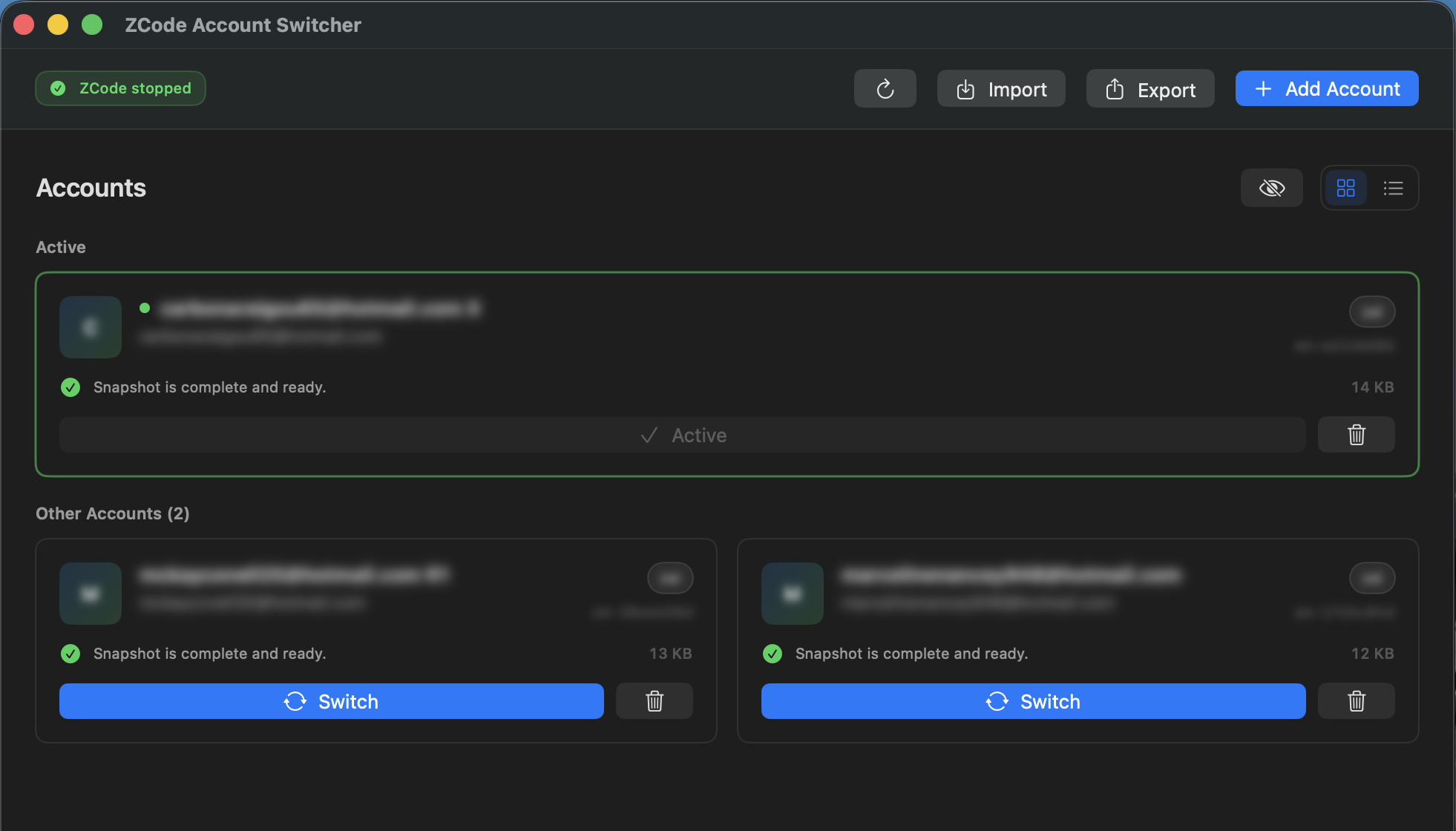
Switch ZCode accounts from one native app.
ZCode Account Switcher stores each account as a local snapshot, shows basic account health, and restores the selected snapshot back into ZCode.
Close ZCode, back up the active state, restore the selected account, and relaunch ZCode.
Add accounts through the supported OAuth capture path, with local import and export available.
Designed for the local ZCode account files.
The app works with the ZCode files under ~/.zcode/v2 and keeps saved snapshots in Application Support.
Platform
macOS 13+
Build
SwiftUI native app
Storage
Local snapshots
License
MIT
Download ZCode Account Switcher for macOS.
The current release is available as a DMG on GitHub. Drag the app to Applications after downloading.
ZCode account switching FAQ.
Short answers for people looking for a ZCode account switcher on macOS.
How do I switch ZCode accounts on macOS?
Save each account as a snapshot in ZCode Account Switcher, then choose the account you want to restore before launching ZCode.
Where are ZCode account snapshots stored?
Snapshots are stored locally under ~/Library/Application Support/ZCode Account Switcher/accounts.
Is this affiliated with ZCode?
No. This is an independent native macOS implementation. ZCode and related marks belong to their respective owners.